The Stack · Google Ads

Google Ads: which campaigns to run,
and how to split the budget between them.

Google Ads has three campaign types that matter for a local business, and most accounts we inherit are running the wrong one first. Here is what each one does, when it earns a share of the budget, and the one number we use to move money between them.

Campaign types

Three Campaigns, Three Different Jobs

They are not interchangeable and they are not a ladder you must climb. Each one pays for a different kind of attention.

Start here

Search

Text ads shown to people typing what you sell into Google right now. This is existing demand: the highest intent you can buy, and the first campaign for any local service business.

  • Exact and phrase match only; broad match waits until the account has conversion history
  • Tight ad groups: one service, one intent, one landing page each
  • Negative keywords reviewed and added every week from the search-terms report
  • Branded and non-branded terms in separate campaigns, always
Scale, once tracking is clean

Performance Max

One budget that Google spreads across Search, Display, YouTube, Maps, Gmail and Discover, optimizing toward your conversions. Powerful when it has good data to learn from, expensive when it does not.

  • Add it when Search conversion tracking is proven and the account sees roughly 30+ conversions a month
  • Needs complete asset groups (headlines, descriptions, images, video) and audience signals from your real customers
  • Watch it cannibalizing branded Search: exclude your brand terms so it is paid for new demand, not your own name
  • Judged on customers created, read in Salesforce, not on the conversions it reports itself

Create demand

Demand Gen

Image and video ads on YouTube, Discover and Gmail, shown to people who are not searching yet. Right for visually driven or considered purchases, and for bringing back people who already visited.

  • Use for remarketing to site visitors and for lookalike-style audiences built from customer lists
  • Not a first campaign on a small budget; it spends before it converts
  • Needs real creative: photos of your place, your people, your work, not stock
  • Measured over weeks, with view-through attribution kept honest against Salesforce

Budget split

Where the Money Goes, By Account Stage

A default starting point, not a rule. The split moves monthly, and only in one direction: toward whatever is producing customers at the lowest cost.

New account

~100% Search until conversions are proven

Search 100%

The first job is not scale, it is proof: a conversion action that fires on the form submit, a Salesforce Lead created for each one, and a cost per lead you believe. Until then every other campaign type is spending blind.

Mature local account

Roughly 60 / 30 / 10, rebalanced monthly

Search 60%PMax 30%10%
SearchPerformance MaxDemand Gen

Once the account has months of clean data, Performance Max earns a share for reach and Demand Gen a small one for remarketing. The split is reviewed on the first of every month against one number.

Rules that do not move

  • Branded Search is its own campaign with its own small budget, never mixed with non-branded
  • Rebalancing uses cost per customer, not cost per lead or cost per click
  • A campaign is paused, not "optimized", when three months of Salesforce data show it creates no customers
  • Budget changes are logged with the number that justified them

The only metric

Cost per Customer, as Recorded in Salesforce

Google Ads reports clicks, impressions, and "conversions". A conversion is whatever you told it to count, and most accounts count a form fill. But the goal is customers, and a form fill is not a customer. It is a person who may or may not answer the phone.

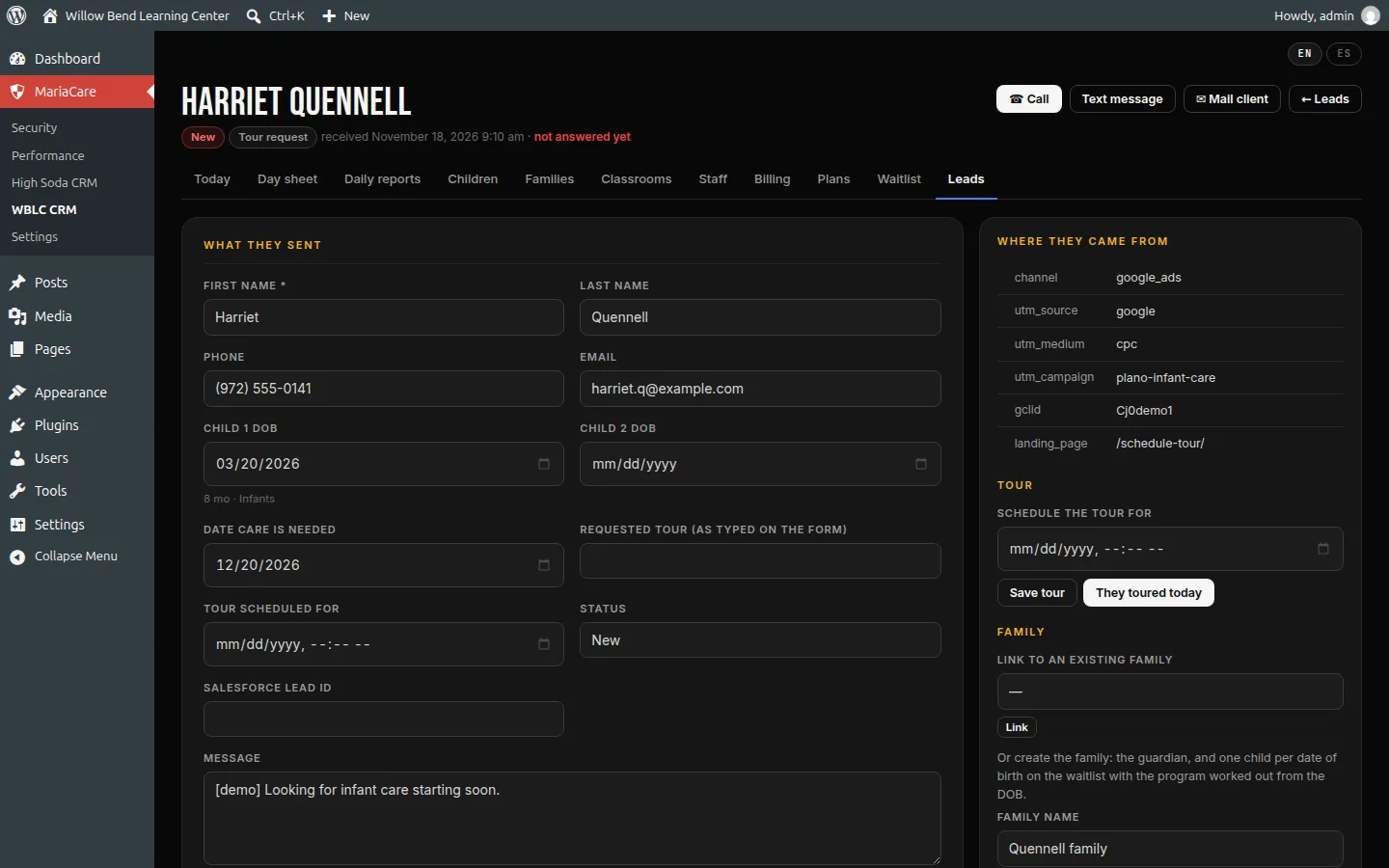
So the budget metric we use is cost per Customer: ad spend divided by the number of leads whose Lifecycle Stage reached Customer in your Salesforce, per campaign. That requires three things to be wired: the click ID stored on the Lead when the form is submitted, the Customer stage set in Salesforce when the deal closes, and that stage imported back into Google Ads as an offline conversion so Smart Bidding optimizes toward it.

When this is in place, a campaign that produces cheap leads nobody can close loses budget automatically, and a campaign with expensive clicks that become customers keeps it. That is the whole discipline, and it is the same number MariaCare is paid on.

Click

Google appends a GCLID to the landing-page URL.

Form

WordPress stores the GCLID and UTMs in hidden fields and posts them with the Lead.

Lead

Salesforce keeps the click ID on the Lead record through every stage.

Customer

Lifecycle Stage = Customer on close-won; the stamp MariaCare invoices against.

Import

Customer + GCLID uploaded to Google Ads as an offline conversion; bidding learns from it.

The GCLID on the lead
The GCLID on the leadThe click ID Google appended to the landing-page URL, stored on the record by the form and kept through every stage. It is what the offline conversion import sends back.
🏈
Watch the join happen: the live pipeline on maria.care/sports counts every form submission on that site by whether it carried a Google click ID, exactly as we report it for a client. How the demo works →

The routine

What Running an Account Actually Means

CadenceWhat we doWhy it matters to you
WeeklySearch-terms report reviewed; negatives added; ads with poor click-through replaced.Stops your budget buying searches that were never going to become customers.
WeeklyLanding-page engagement in GA4 checked per campaign; pages losing visitors fixed first.A bad page wastes good clicks. Fixing it is cheaper than buying more.
MonthlyBudget rebalanced across Search / PMax / Demand Gen on cost per customer from Salesforce.Money follows customers, not the campaign that looks busiest.
MonthlyOffline conversion import: every new Customer stage uploaded against its click ID.Google bids toward people like your customers, not like your form fillers.
QuarterlyAccount structure review: match types widened or narrowed, PMax added or paused, creative refreshed.The account grows with your data instead of being set once and left.

How MariaCare handles Google Ads for you

We build the account in your name, so you own the history. We run the routine above every week. And because our fee is a percentage of each customer created, not of your ad spend, we have no reason to grow the budget beyond what creates customers.

  • Search first, PMax and Demand Gen only when the data earns them
  • Conversion tracking on the form submit, never on page load
  • GCLID and UTMs on every Salesforce Lead
  • Customer stage imported back as offline conversions
  • Budget moves logged with the cost-per-customer figure behind them
  • Spend, clicks and customers reported together, monthly
Get Started →

Questions

Google Ads FAQ

Should a new account start with Performance Max?

No. Performance Max learns from conversions, and a new account has none it can trust. Start with Search on exact and phrase match, get conversion tracking firing on the form submit (not the page load), and add Performance Max once the account records roughly 30 real conversions a month.

Why separate branded from non-branded Search?

Branded clicks (people searching your business name) convert at several times the rate of non-branded clicks and cost a fraction as much. Mixed into one campaign they make every average look better than it is and hide what the non-branded budget is actually buying. Separate campaigns, separate budgets, separate reports.

What is the 60 / 30 / 10 split?

A starting point for a mature local account: about 60% of budget to Search, 30% to Performance Max, 10% to Demand Gen. It is rebalanced monthly on cost per customer as recorded in Salesforce. Accounts without clean conversion data stay at or near 100% Search until they have it.

Why cost per customer and not cost per lead?

Because a lead is a form fill and a customer is revenue. A campaign can produce cheap leads that never close. Google only knows what you tell it, so we import the Customer stage from Salesforce back into Google Ads as an offline conversion and bid toward that. It is also the only number MariaCare is paid on.

Pay Per Customer

Pay When a Customer Is Validated.
Not Before.

5% of customer value per validated customer when you pay ad spend, 10% when MariaCare pays it. No setup fee, no minimum, no term. A customer who churns within 30 days is never billed.

THE FEE
5% or 10% of Customer Value

Per validated customer. One customer value per account, agreed at signing. Fixed monthly for annual contracts through Talk to Sales.

THE PROOF
Your CRM Decides

A customer counts when your CRM marks Lifecycle Stage = Customer. The count comes from your CRM; every invoice line names the record. Salesforce, HubSpot or Microsoft Dynamics; if you have none, MariaCare sets one up for you.

Get Started → Talk to Sales